
Windows service. Cloud visibility.
Tab2Kit has Windows and cloud apps that synchronise. Staff operate the venue on Windows; owners use supported management views through a browser.
Windows + cloud
Run service on Windows. Stay connected through the cloud.
Staff use the Windows app at the venue. Owners access supported management views through a browser. Supported operational data synchronises when connected.
A compatible Windows device, account and venue setup are required. Cloud access and synchronisation need internet. Confirm supported views, records and devices during setup; app features can differ.
Explore Windows and cloud →Tab2Kit · sample data
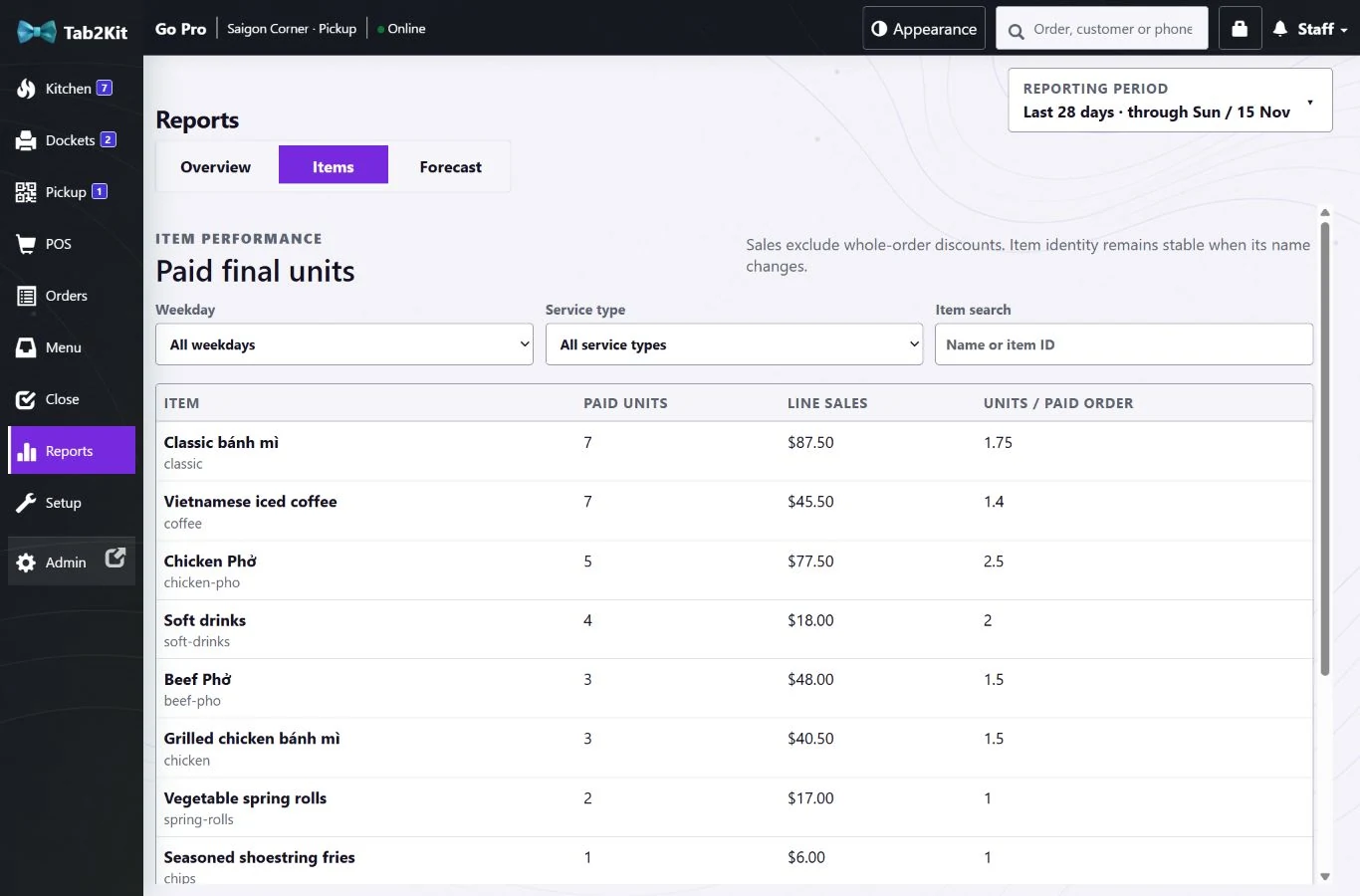 View full-size screen
Which data synchronises?
Supported operational data synchronises between the Windows and cloud apps when connected. Confirm the exact records and management views available to your venue during setup. Feature parity across apps is not assumed.
What do I need?
A compatible Windows device, a Tab2Kit account and the appropriate venue configuration. Compatible Surface devices can move between counter and tables. Confirm device specifications and requirements before purchase.
Does it work without internet?
Cloud access and synchronisation require connectivity. This website does not promise offline ordering, offline card payments or automatic conflict-free recovery. Confirm any current offline and reconnection behaviour for your setup before relying on it.